

WhatsApp Message Not Delivered? Common Reasons & Fixes

Written by
WappCloud Team

Post date
22 July 2026
A message that never lands is worse than no message at all. It looks like a business followed up — but the customer never saw it, and nobody notices until a lost sale or a support ticket makes the gap obvious. On WhatsApp Business API, "not delivered" isn't a rare glitch. It's one of the most common issues businesses run into once messaging volume starts to scale.
The good news: almost every delivery failure traces back to a small, identifiable set of causes, each with a clear fix. Here's what's actually going on, and how to resolve it.
What Does "Not Delivered" Actually Mean?
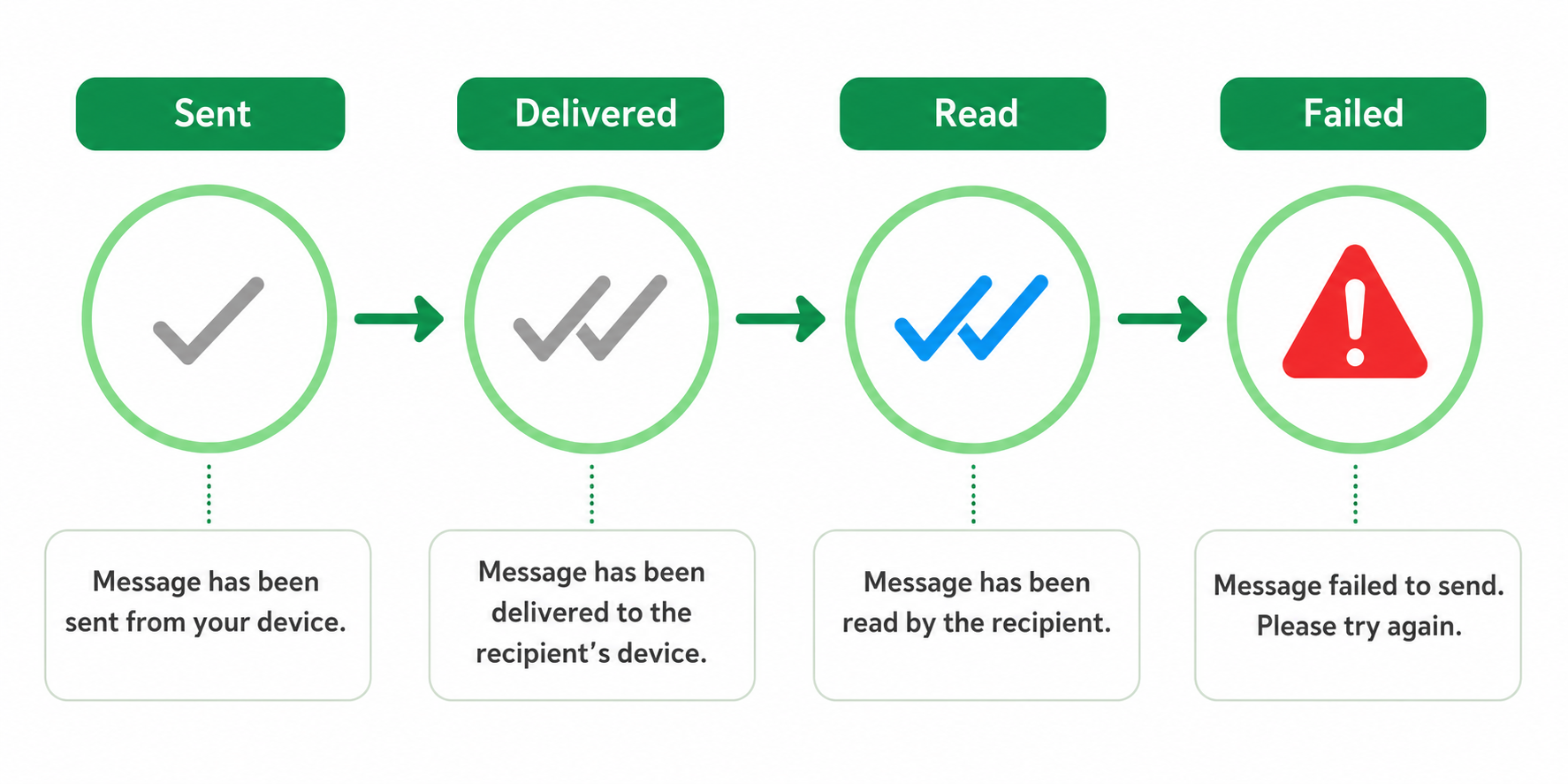
Every WhatsApp message moves through a few status stages — sent, delivered, and read — shown as the familiar single tick, double tick, and blue double tick. When a message fails, it typically stalls at "sent" and never progresses, or Meta's API returns an explicit error code explaining why.
Unlike a bounced email, a failed WhatsApp message rarely gives an obvious signal. It just quietly doesn't arrive. That's exactly why understanding the common causes matters — catching the pattern early prevents a small technical issue from becoming a recurring customer experience problem.
Why This Happens More Than Businesses Realize
Delivery failures aren't usually caused by network hiccups or random outages. They're almost always structural: an invalid number, an expired conversation window, a rejected template, a blocked number, or an account quality issue. Each is fixable once identified — which is why a systematic troubleshooting approach beats guessing every time.
Here are the six most common reasons messages fail to deliver, and the fix for each.
1. The Recipient's Number Isn't Registered on WhatsApp
The most common cause of all, especially for businesses importing large contact lists from CRMs or spreadsheets. If a number isn't active on WhatsApp, or was entered with a typo or outdated country code, the message has nowhere to go.
The Fix
Validate numbers before sending, not after. Running lists through a number-verification check catches invalid entries early. Regularly cleaning contact databases — removing duplicates, fixing formatting, dropping unreachable numbers — keeps delivery rates healthy long-term.
2. The 24-Hour Session Window Has Closed
WhatsApp allows free-form messages only within 24 hours of a customer's last message. Once that window closes, anything outside an approved template will fail to deliver.
The Fix
Build re-engagement into your workflow using approved templates instead of relying on free-form follow-ups once the window closes.
Example Message
"Hi , we wanted to follow up on your recent inquiry. Reply here and we'll pick up right where we left off."
3. The Template Was Rejected or Isn't Approved Yet
Every template — marketing, utility, or authentication — needs Meta's approval before it goes live. A common mistake is assuming a template is active when it's still pending, or was rejected for violating formatting guidelines.
The Fix
Confirm approval status before launching any campaign. Templates get rejected for things like promotional language in a utility category or vague, generic phrasing. Review guidelines closely and fix flagged issues before resubmitting.
4. The Recipient Has Blocked the Number
Sometimes delivery fails simply because the customer blocked the business — often after too many messages, or ones that felt irrelevant.
The Fix
This one's about prevention. Keep frequency reasonable, keep content relevant to what customers actually opted into, and always offer an easy opt-out. Fewer, better-targeted messages consistently beat higher-volume generic ones — and result in far fewer blocks.
5. Consent or Opt-In Wasn't Properly Collected
WhatsApp requires explicit opt-in before businesses can message someone. Contact lists built without a clear opt-in step often contain numbers that are technically reachable but never gave consent — and Meta's systems can restrict delivery accordingly.
The Fix
Build opt-in collection directly into checkout flows, sign-up forms, or in-store QR codes, and keep a clear record of when consent was captured.
Example Message
"Hi , thanks for signing up! Reply YES to receive order updates and offers from us on WhatsApp."
6. The Account's Quality Rating Has Dropped
Meta continuously scores business accounts based on block rates, report rates, and overall engagement. A low quality rating means reduced messaging limits — and in more serious cases, broader delivery restrictions.
The Fix
Monitor quality rating regularly, not just after problems appear. Improving it comes down to the same fundamentals: relevant content, reasonable frequency, and messages people actually want. Recovery takes time, so catching a dip early matters.
The Real Cost of Delivery Failures
A low delivery rate isn't just a technical inconvenience — it quietly erodes revenue and trust. A missed order update becomes a support ticket. A missed appointment reminder becomes a no-show. A missed re-engagement message becomes a customer who assumed you stopped reaching out.
Treating delivery health as an ongoing metric — not something to investigate only after a complaint — is what separates businesses with reliable WhatsApp channels from ones constantly firefighting.
Getting Ahead of the Problem
Most delivery failures share a common thread: they're structural, predictable, and preventable with the right monitoring. Businesses managing high message volumes — order updates, reminders, re-engagement campaigns — increasingly rely on platforms like WappCloud to track delivery status, flag failed sends, and surface account quality issues before they escalate.
Delivery issues on WhatsApp are rarely mysterious once you know where to look. Invalid numbers, expired session windows, unapproved templates, blocked numbers, missing consent, and quality rating drops account for nearly every failed message a business will run into. Fixing the pattern, not just the individual failure, is what keeps a WhatsApp channel reliable at scale.
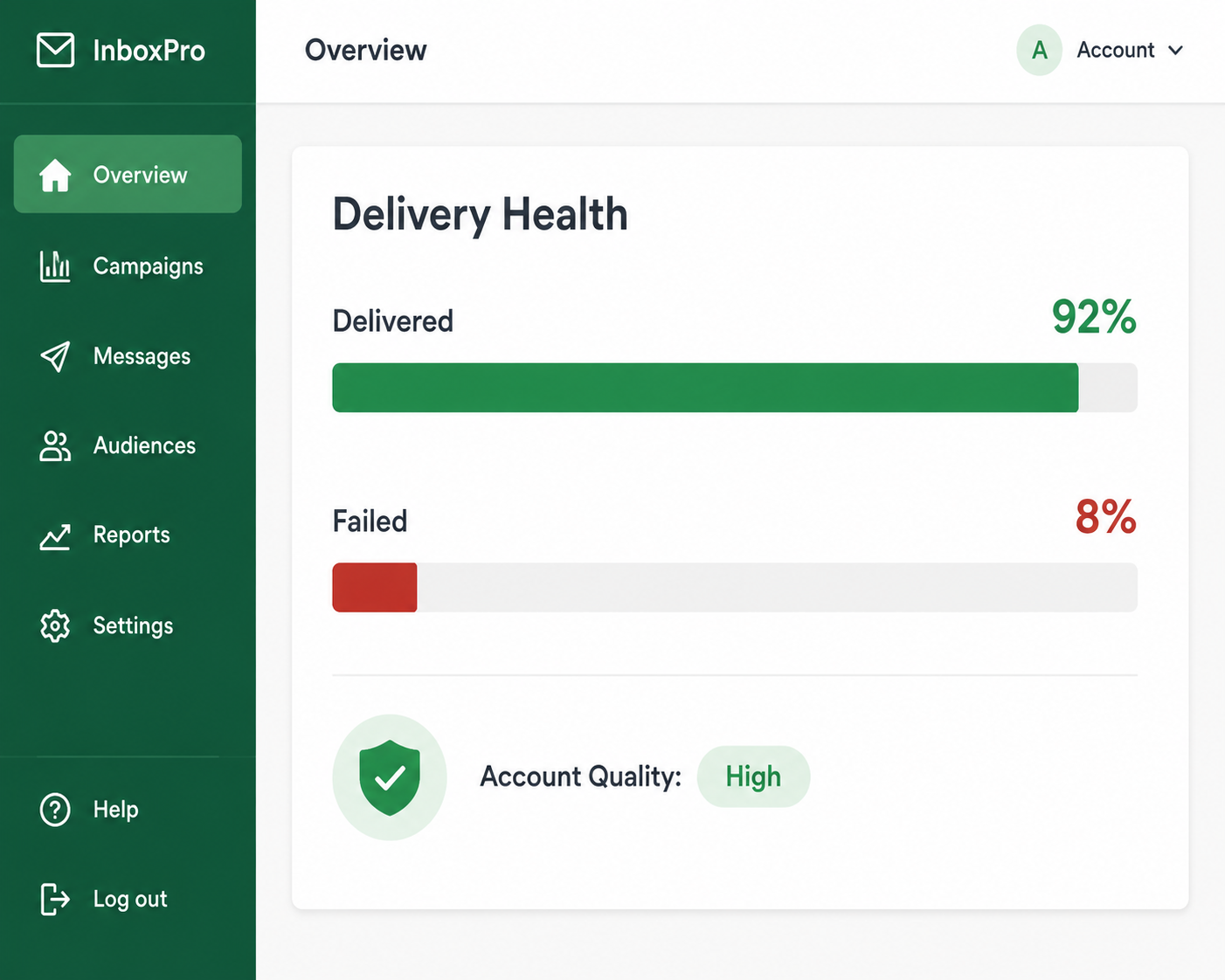
Want better visibility into your delivery performance? See how WappCloud helps businesses track delivery status, manage template approvals, and protect account health — all in one place.