

WhatsApp Business vs WhatsApp API: Find the Right Fit for Your Business Growth

Written by
WappCloud Team

Post date
15 May 2026
Back then, being the first to launch something new was a big deal. It helped businesses grab attention and grow fast. But now, things are different. Anyone can copy a product or service pretty easily — so the real challenge is keeping your customers loyal.
That's where good communication makes all the difference. A friendly, responsive team that solves customer problems quickly can do wonders for any business.
And honestly, WhatsApp has become one of the best tools for that. With its huge user base and almost 98% message open rate, it's where most customers already are.
But when you decide to use WhatsApp for your business, there's one big question — should you go for WhatsApp Business or WhatsApp Business API?
The answer depends on your business size, how you manage customer chats, and what kind of experience you want to give.
In this blog, we'll go over the differences between the two, what each one offers, and how WappCloud can help you use WhatsApp the right way to connect better and grow faster.
What is WhatsApp Business?
WhatsApp Business is a simple, free app made for small and medium-sized businesses that want to connect with customers more easily and professionally. It helps you create a proper business profile, manage chats efficiently, and offer quick support — all from the same WhatsApp number your customers already use.
You can install it on Android, iPhone, or even use it on desktop.
Key features include:
- Setting up a business profile with your logo, address, email, and website to make your account look credible and trustworthy.
- Using automated replies like greeting messages when someone texts for the first time or away messages when you're not available.
- Adding labels to organize chats — like "New Lead," "Pending Order," or "Resolved" — so you never lose track.
- Creating catalogs so customers can browse your products or services right inside WhatsApp.
Best for: Small businesses or local stores that handle a limited number of customer messages and want a simple way to stay connected.
What is WhatsApp Business API?
WhatsApp Business API is designed for growing businesses that need to handle a high volume of messages and want to automate communication. Unlike the regular app, you can't just download it — it has to be set up through an official Meta partner like WappCloud, which makes the whole process smooth and secure.
It's built for teams that want to scale customer communication, automate replies, and integrate WhatsApp with their existing CRM or marketing tools.
Here's what you can do with it:
- Build automated chatflows to guide customers, collect data, and handle common queries without manual effort.
- Use an AI-powered WhatsApp chatbot to instantly respond to customers and free up your team's time.
- Give your team access to a shared inbox so multiple agents can manage and track conversations together seamlessly.
- Run drip campaigns or broadcast messages to nurture leads and drive engagement.
- Connect WhatsApp with your CRM, payment systems, or lead management tools for complete automation.
Best for: Medium to large businesses that get hundreds or thousands of customer messages daily and want a professional, automated system to manage them efficiently.
WhatsApp Business vs. WhatsApp Business API: Key differences
| Factor | WhatsApp Business App | WhatsApp Business API (via WappCloud) |
|---|---|---|
| Best suited for | Small businesses, startups, and solo entrepreneurs | Medium to large businesses handling high message volumes |
| Access type | Mobile app (Android/iOS) | Cloud-based integration through a platform like WappCloud |
| Number of users | Single user (one phone, one account) | Multiple users can access the same number simultaneously |
| Device support | One smartphone + WhatsApp Web | Works across multiple devices and teams |
| Automation | Basic auto-reply and greeting messages | Advanced automation with chatbots, workflow triggers, and AI replies |
| Broadcast limit | 256 contacts per broadcast | Unlimited broadcasts using approved templates |
| Broadcast reach | Only saved contacts | Any opted-in customer, even if not saved |
| Integration capability | None or very limited | Fully integrates with CRM, IndiaMART, Shopify, Meta Ads, Zoho, etc. |
| API/Third-party tools | Not supported | Supports multiple marketing, sales, and support integrations |
| Chatbot Installation | ✗ Not supported | ✓ AI chatbot setup via WappCloud, no coding needed |
| Automated Messages | Basic greetings and away messages | Fully automated campaigns (reminders, updates, lead nurturing, etc.) |
| Clickable Buttons (CTAs) | ✗ Not available | ✓ Supports quick replies, forms, and interactive buttons |
| End-to-End Product Selling | Basic product catalog | Full WhatsApp commerce with cart, checkout & tracking |
| Collecting In-App Payments | ✗ Not supported | ✓ Payments enabled directly inside WhatsApp |
| Verification | Optional business profile | Verified green tick for brand trust |
| Message Types | Text, image, video, catalogs | All media + interactive templates |
| Customer Support Tools | Manual chat replies only | Shared team inbox, CRM, ticketing & escalation |
| Analytics | Basic chat stats | In-depth dashboards for agent, campaign & conversion tracking |
| Coding Required | No coding | No coding required with WappCloud setup |
| Security | End-to-end encryption | End-to-end encryption + business-grade data control |
| Template Messages | Not available | Approved templates for OTPs, alerts, and marketing |
| Integration | Minimal | Deep integrations with CRM, ads, and commerce tools |
| Scalability | Limited for small volumes | Fully scalable for thousands of daily messages |
| Customer Support | Handled manually | Managed by multiple agents with automation support |
| Suitability | Local or small-scale communication | High-volume professional engagement |
| Cost | Free | Paid (based on conversation volume and WappCloud plan) |
| Purpose | Personal customer handling | Professional, automated, and large-scale engagement |
| Example Use Case | Local shop chatting directly with customers | Bank sending EMI alerts or e-commerce brand running campaigns |
When to Choose WhatsApp Business vs. WhatsApp Business API
Both versions of WhatsApp for Business serve different purposes. The choice mainly depends on your business size, message volume, and how automated you want your communication to be.
Let's look at where each one fits best:
1. Small & Local Businesses
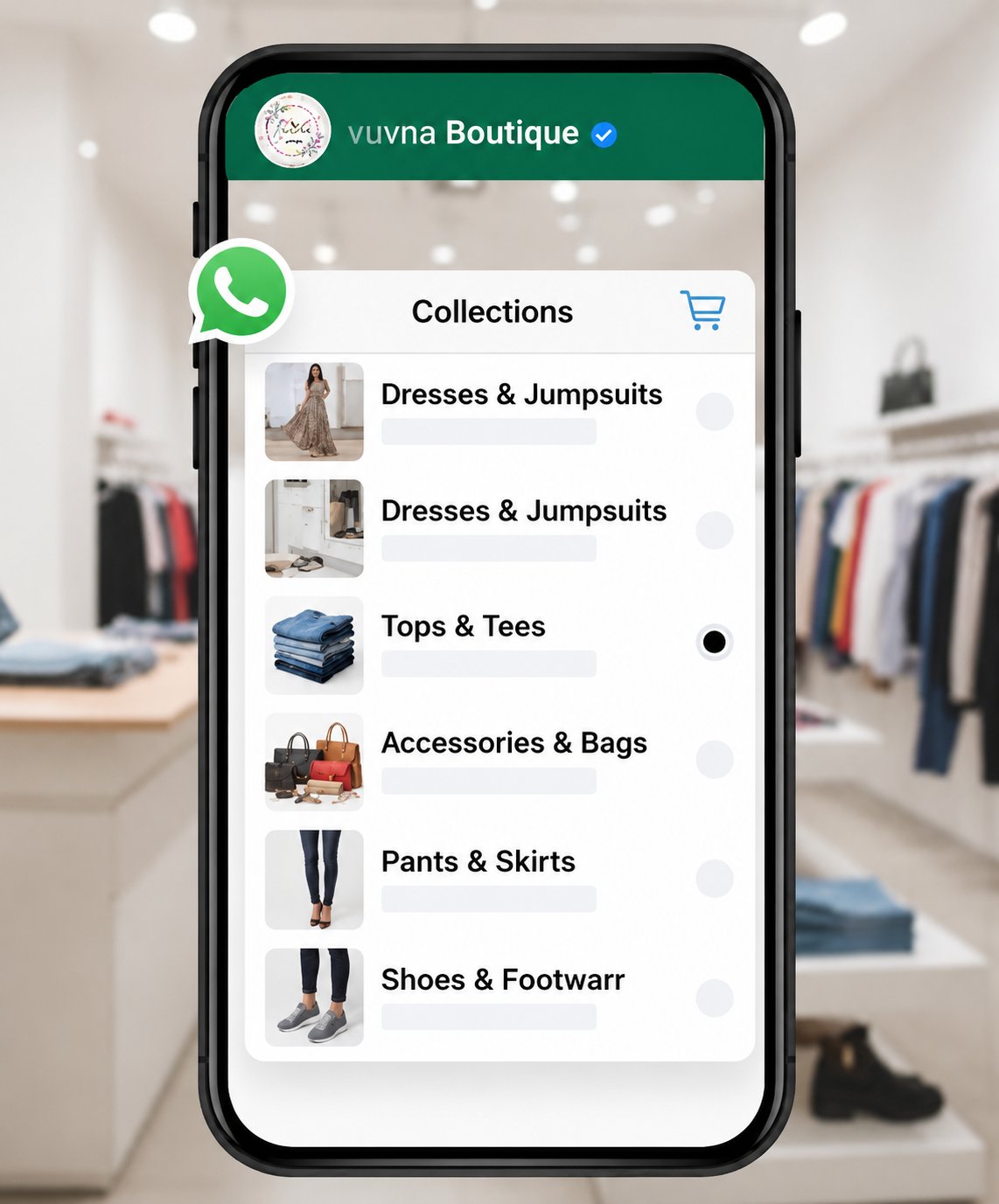
If you own a boutique, café, or local service shop, the WhatsApp Business App is ideal. You can personally chat with customers, share your catalog, confirm orders, and send quick updates about offers or new arrivals.
It's simple, free, and doesn't require any setup — perfect for businesses that manage fewer customer queries daily.
2. E-commerce Stores
Small online sellers can start with the app to display product catalogs and confirm orders.
However, as your sales grow, shifting to the WhatsApp Business API (via WappCloud) makes sense. It allows automated order confirmations, abandoned cart reminders, and delivery tracking. You can even connect your WhatsApp with platforms like Shopify or IndiaMART to handle everything from one place.
3. Restaurants & Food Services
A single-location restaurant can easily manage orders, send menus, and confirm deliveries using the app.
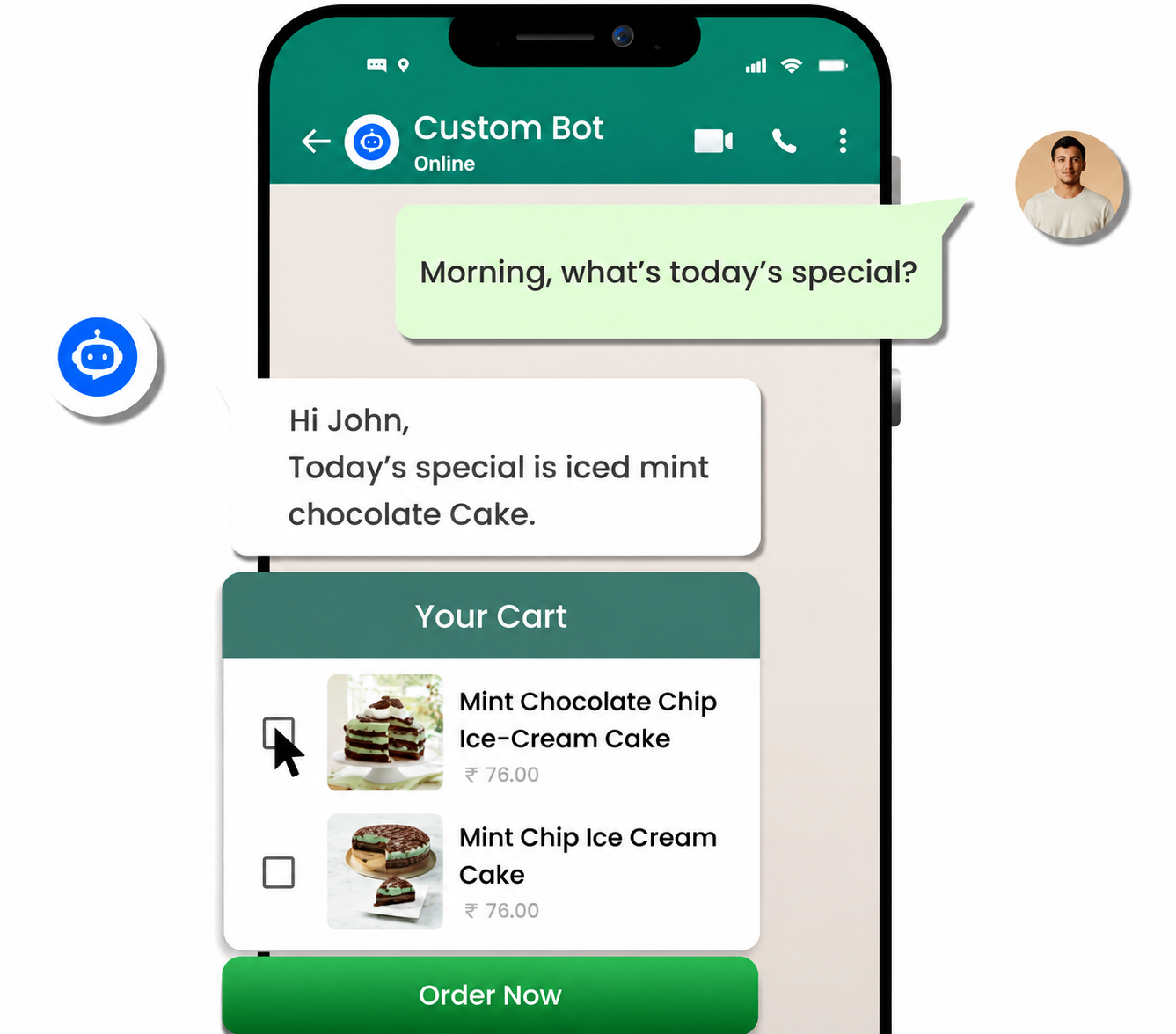
But for restaurant chains or food delivery services, the API version offers much more — automated order notifications, real-time delivery updates, and chatbot assistance for quick customer replies.
4. Salons, Spas & Wellness Centers
Independent salons can use the app to schedule appointments, send reminders, and share offers.
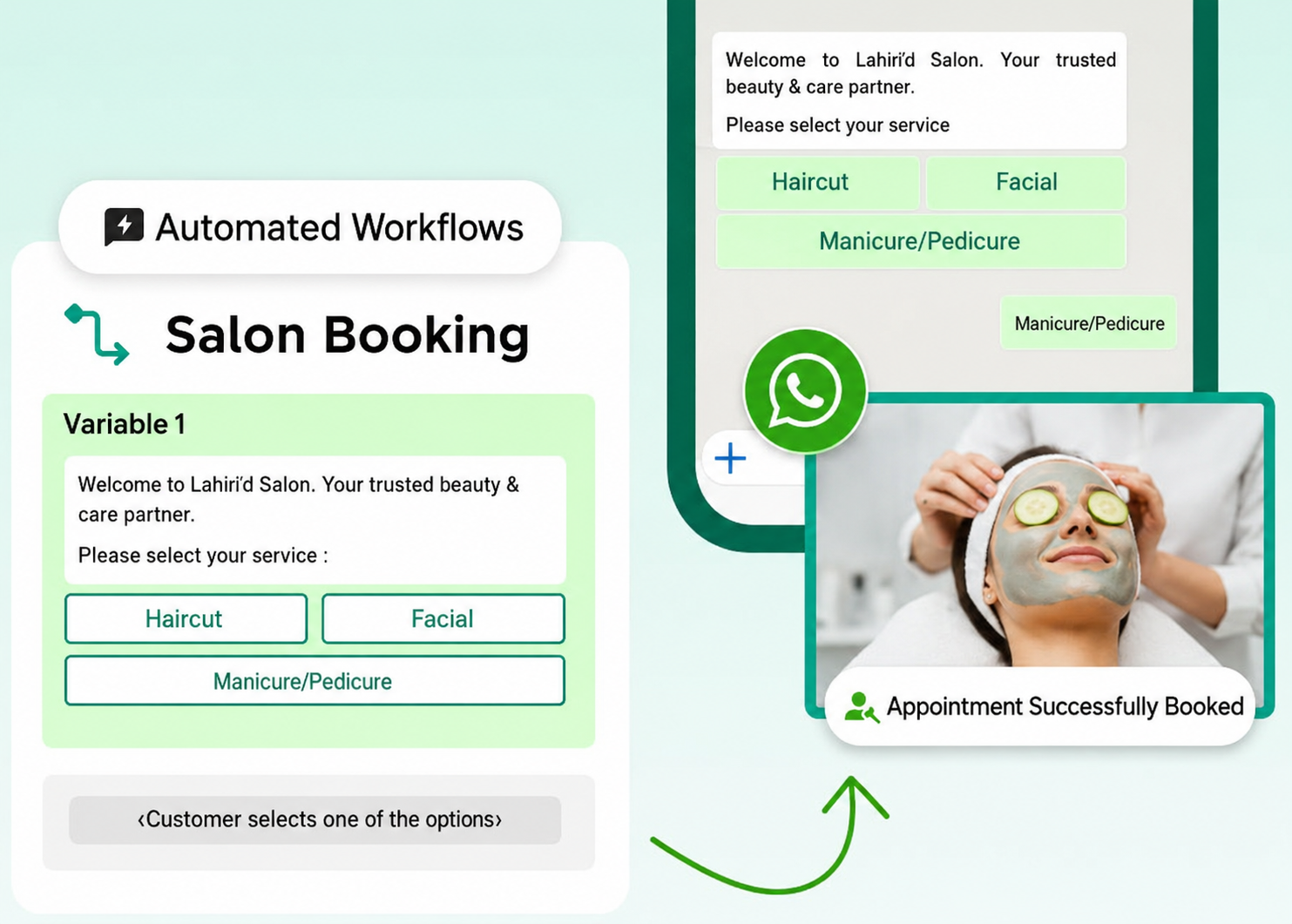
In contrast, large salon chains or fitness brands benefit from the API — it lets you automate appointment booking, send personalized reminders, and follow up on customer feedback effortlessly through WappCloud's chatbot workflows.
5. Banks & Financial Services
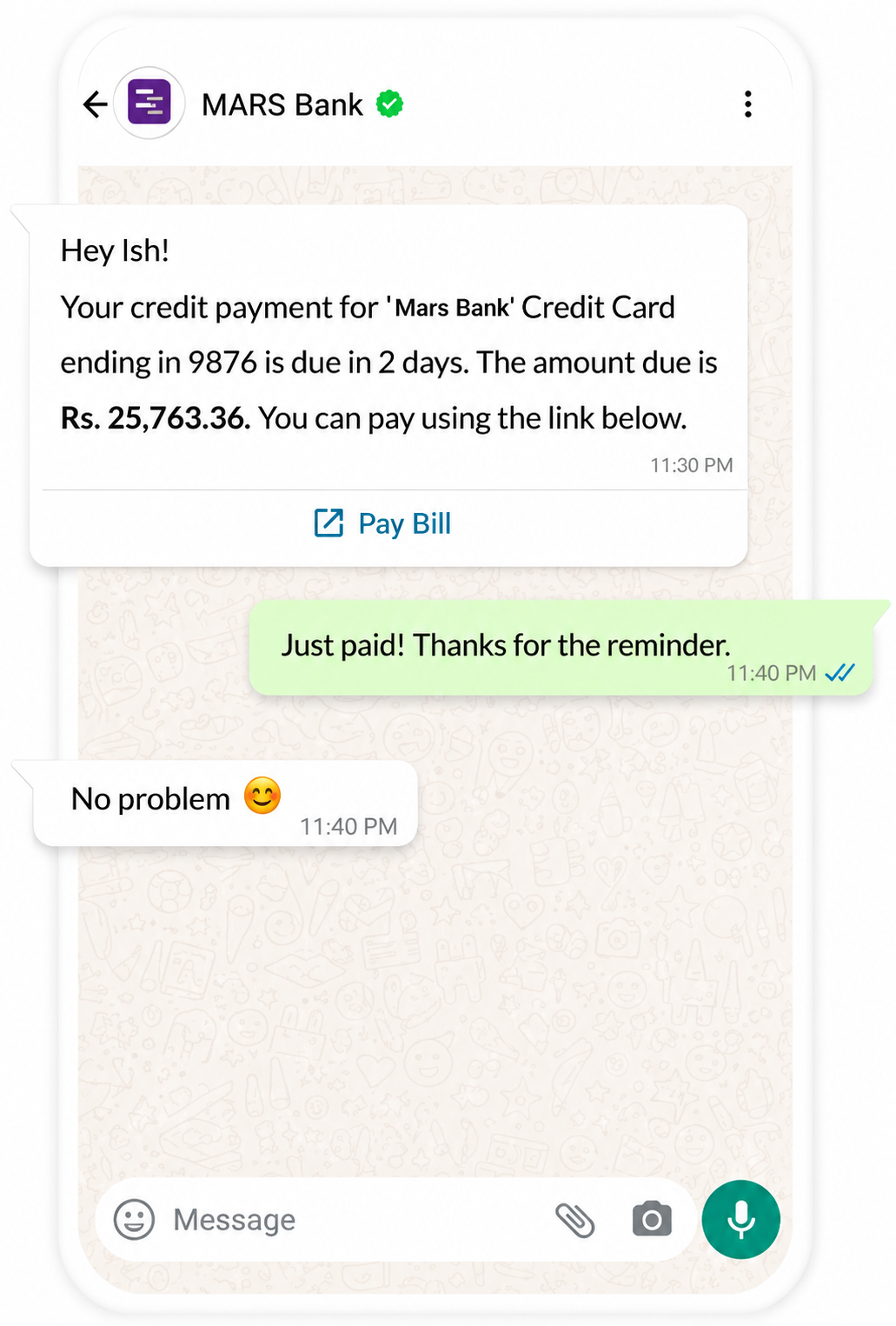
For institutions managing thousands of clients, WhatsApp Business API is a game changer. It enables secure communication for sending loan reminders, payment alerts, OTPs, and transaction updates.
Plus, you can integrate it with your CRM, automate support tickets, and even verify customers using WhatsApp chatbots for extra security.
6. Travel & Hospitality
If you're a small travel agency, you can use the app to share itineraries and confirm bookings.
For airlines, hotels, or large travel companies, the API version offers seamless automation — sending booking confirmations, check-in reminders, and post-stay feedback requests without any manual effort.
7. Education & Coaching
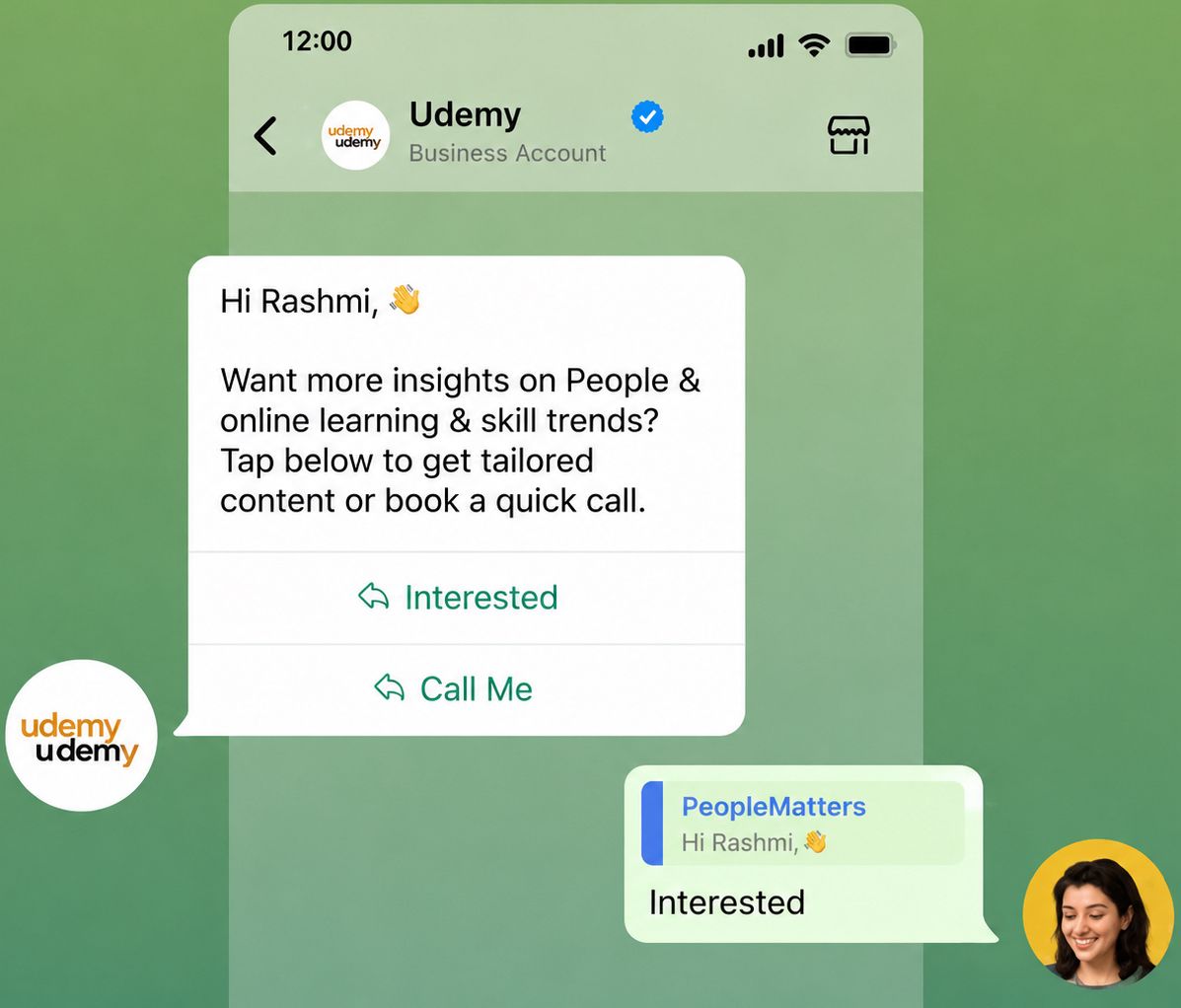
Tutors or small coaching centers can share class updates, notes, and assignments directly with students via the app.
But for universities, training academies, or edtech startups, the API helps automate student communication, send bulk notifications, collect feedback, and handle queries through chatbots.
8. Healthcare & Clinics
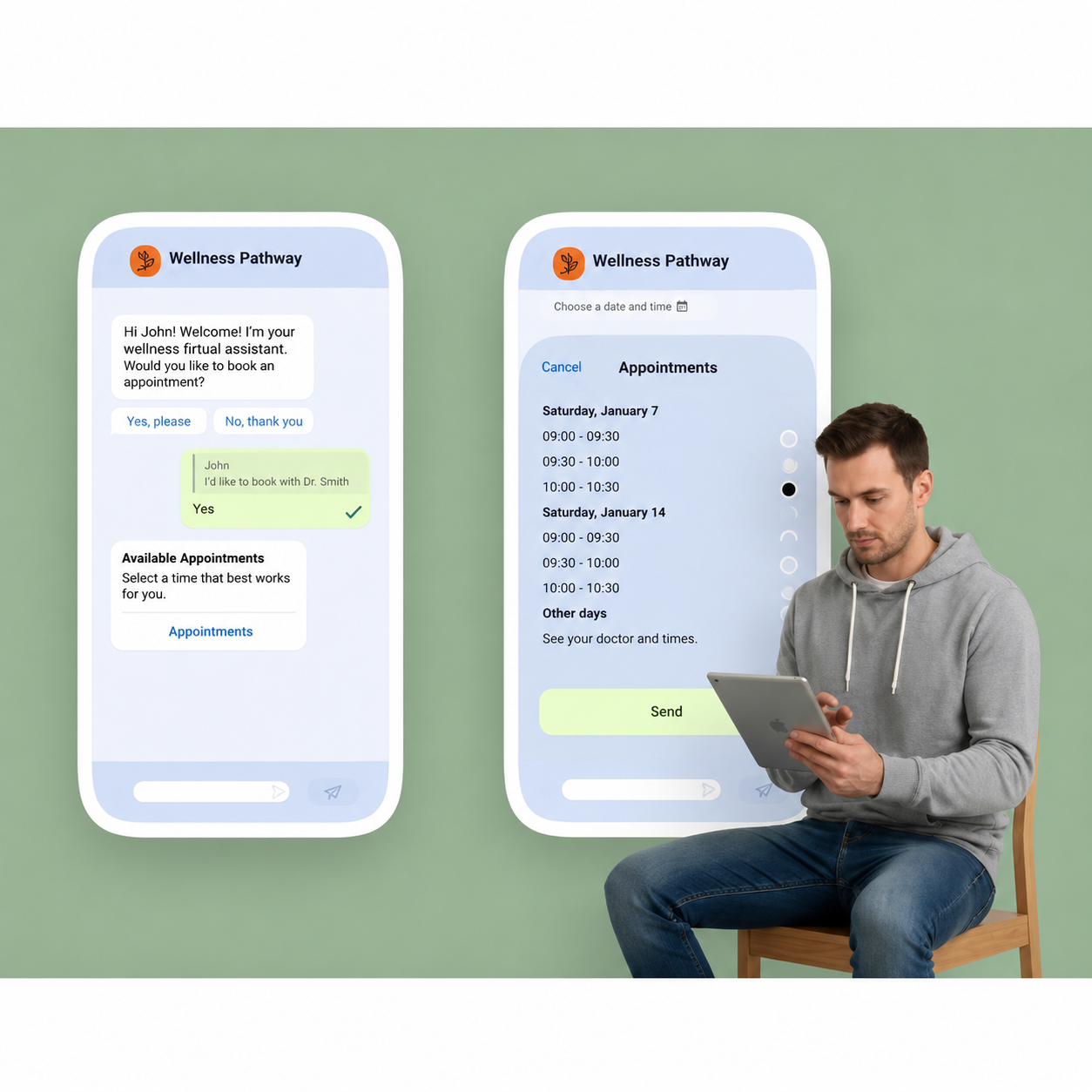
Doctors and therapists can use the app to book appointments, share reminders, and follow up with patients.
Hospitals or diagnostic chains, however, need the API to manage higher message volumes. It enables teams to use a shared inbox, automate reports, send prescriptions, and offer chatbot-based assistance.
9. Logistics & Delivery
Small courier services can send tracking details or delivery confirmations manually through the app.
Large logistics and delivery firms should use the API — it automates order status updates, pickup confirmations, and delivery notifications while allowing multi-agent support.
WhatsApp Business vs. WhatsApp Business API: Choosing What Fits Your Business Best
There's no doubt that WhatsApp has become one of the most effective platforms for businesses to connect with their customers — fast, direct, and incredibly engaging.
Whether you're a small brand looking to build personal relationships or a growing enterprise managing thousands of daily chats, knowing the difference between WhatsApp Business App and WhatsApp Business API helps you pick the right path forward.
If your business is ready to scale, automate, and handle communication at a larger level, the WhatsApp Business API powered by WappCloud is the smarter choice. With WappCloud, you get everything you need — automation, CRM integration, chatbot support, and multi-agent access — so your team can focus on growth while we handle your customer engagement behind the scenes.
WhatsApp may have started as a simple messaging app, but it's now a game-changer for businesses looking to connect with customers directly and effectively.
Knowing the difference between WhatsApp, WhatsApp Business, and WhatsApp Business API helps you choose what suits your current stage — and recognize when it's time to scale up. Moving to the API isn't just an upgrade; it's a smarter way to manage conversations, automate workflows, and deliver better customer experiences.
If you're ready to take that next step, book a demo and experience WappCloud — your all-in-one WhatsApp automation platform to power smarter, faster, and more personal business communication.