

Build a WhatsApp Chatbot with WappCloud in Under 5 Minutes

Written by
WappCloud Team

Post date
27 July 2026
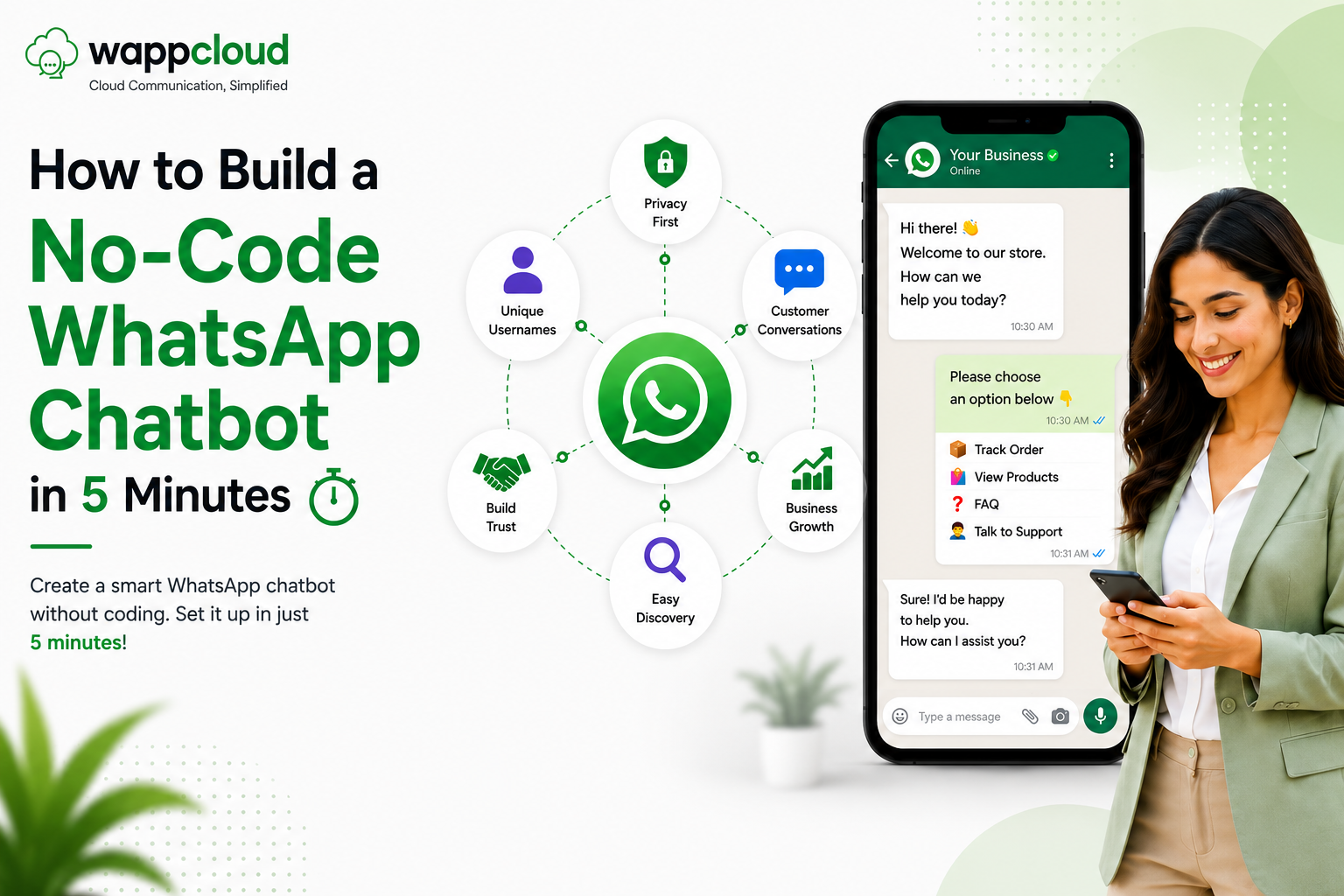
If you are running a business today, you know that customers don't like to wait. They want answers now, and if you don't provide them, they will find someone else who does. A personalized WhatsApp chatbot is the best tool for handling these instant requests without you having to sit by your phone all day.
The good news? You don't need to be a tech expert or a programmer to set one up. With WappCloud, you can build a fully working, automated assistant that talks to your customers, qualifies leads, handles support, and grows your sales — in under 5 minutes. No coding, no developers, no long tutorials.
Why Your Business Needs a WhatsApp Chatbot Right Now
In the past, only big companies with huge budgets could afford to automate their customer service. That has changed. Today, small and mid-sized businesses use chatbots to stay competitive. The biggest advantage is that a bot never sleeps. Whether it's 3:00 AM or a busy holiday, your bot is there to greet customers, share product details, or book appointments — freeing you up to focus on the bigger parts of your business.
The Benefits of Being Available 24/7
Most customers reach out when they have a problem or a question. If you reply five hours later, that lead is often cold. A chatbot ensures that every person who messages you gets a response the second they hit "send" — building trust and making it far more likely they'll buy from you instead of a competitor.
Why Customers Prefer Chatting Over Calling or Emailing
People choose WhatsApp because it's easy and familiar. Nobody likes waiting on hold or checking their email for a reply that might never come. Chatting feels like talking to a friend — a WhatsApp chatbot meets customers where they already spend their time.
Lower Costs, Higher Efficiency
Hiring and training customer support staff is expensive, especially when most questions are repetitive. A WhatsApp chatbot handles FAQs, pricing queries, order updates, and basic support automatically — you save money, avoid burnout, and ensure consistent replies every time.
What Is a WhatsApp Chatbot?
A WhatsApp chatbot is an automated assistant that chats with people on WhatsApp — just like a real person would. The difference? It doesn't sleep, it doesn't make typos, and it doesn't get tired of answering the same question a hundred times.
You've probably already interacted with one without even realizing it — maybe when you asked about store hours, checked on a delivery, or tried to book an appointment. The replies came instantly and everything felt smooth. Instead of replying manually to every customer message, a chatbot can:
- Greet users automatically.
- Respond to customer inquiries 24/7.
- Share personalized product or service information.
- Automate sales and support interactions.
- Collect valuable user data like preferences, location, and contact details.
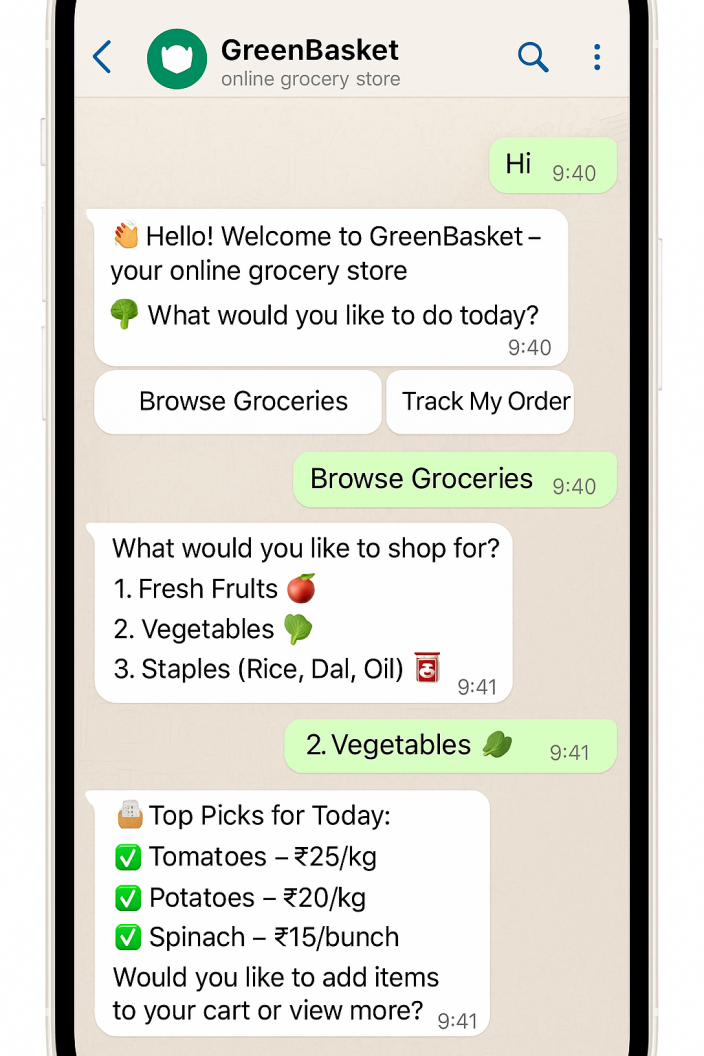
And the best part? You don't need to know how to code or hire a developer. With the right tools, you can set one up in minutes — in short, it's like having an extra team member on WhatsApp, working 24/7 to make sure no message goes unanswered.
Step-by-Step Guide: Build Your Chatbot with WappCloud
Building a bot doesn't have to be a long project. By using the right tool, you can move from a blank screen to a working assistant in minutes. Here's exactly how to do it.
1. Sign Up and Log In to Your WappCloud Dashboard
Log into your WappCloud account and head to the Chatbot section in your dashboard. New users can claim a 4-day free trial to explore the full capabilities of the chatbot builder. This dashboard is your control center — everything you need to manage your messages and bot flows is right here in one place.
2. Create a New Chatbot and Set Your Welcome Message
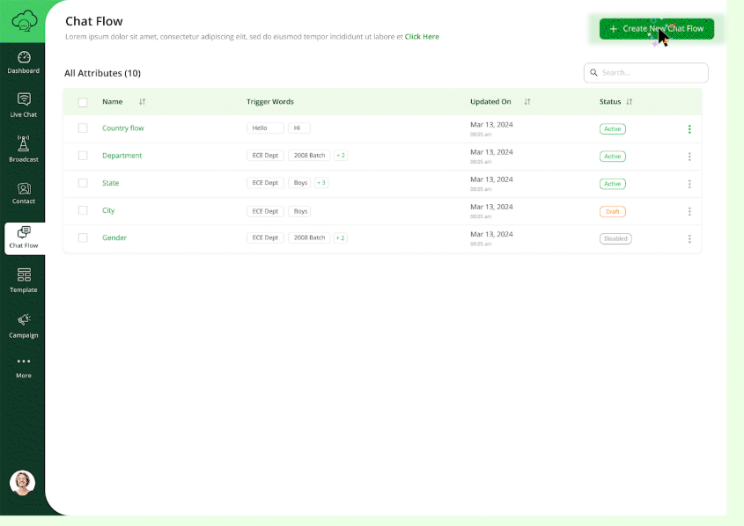
Go to the Chatbot section and click "Create New Chatbot." Give your bot a clear, meaningful name — something like "Welcome Bot," "Lead Capture Assistant," or "Order Support Bot," depending on what you're building. Then think about the first thing a customer should see: your welcome message sets the tone. In the dashboard, type out a friendly greeting that triggers as soon as someone says "Hello," and decide which main topics your bot should handle, like "Services" or "Support."
3. Set Trigger Keywords
To make your chatbot respond automatically, you'll need to define trigger keywords — words or phrases users are likely to type. These should be unique, for example:
- "Hi"
- "Help"
- "Shop"
- "Offers"
- "Interested"
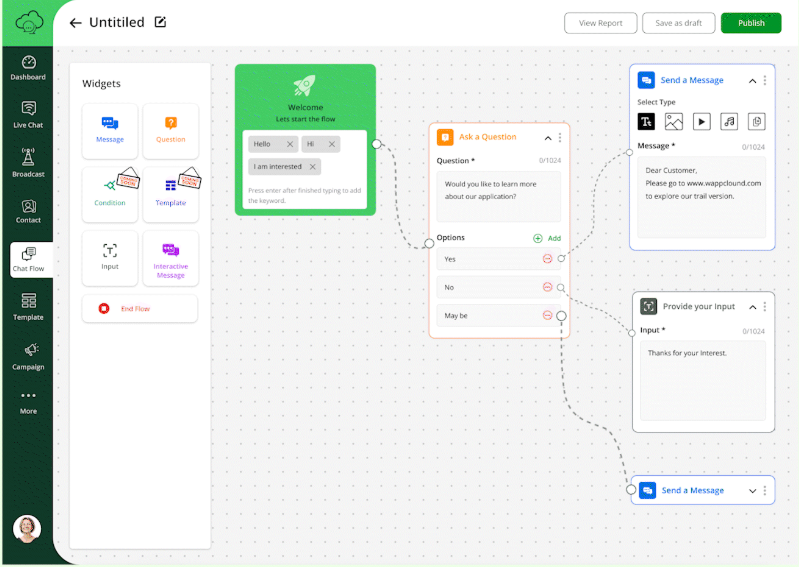
These keywords activate your chatbot flow and start the conversation instantly. In WappCloud, you can add them directly to the "Start the Flow" element inside the builder. Once set, your chatbot will know exactly when to jump into action.
4. Design Your Flow with the Drag-and-Drop Builder
This is where the magic happens. You don't need to write a single line of code — simply drag content blocks onto the canvas and connect them to shape your conversation flow. If a customer clicks a button for "Pricing," you draw a line to the price list. It's as easy as drawing a simple map on a piece of paper. You can add elements like:
- Messages
- Questions
- Text input
- Custom templates
Every action a user takes can lead to a different response, making the chat feel smart and personalized.
5. Test Your Bot
Before you show your bot to the world, you want to make sure it works perfectly. WappCloud lets you test your bot by messaging it from your own phone to see exactly how it responds. If a reply feels too long or a button doesn't work, you can fix it instantly. Use this step to:
- Check if all messages are showing correctly.
- Test buttons, quick replies, and logic paths.
- Make sure the flow feels smooth and conversational.
6. Publish and Go Live
Once you're happy with the flow, double-check all your blocks and connections to make sure the conversation logic flows the way you want it to. When everything looks good, simply click "Publish" — and that's it. With one click, your chatbot deploys to your official WhatsApp Business number, and every customer who reaches out will be greeted by your new automated assistant.
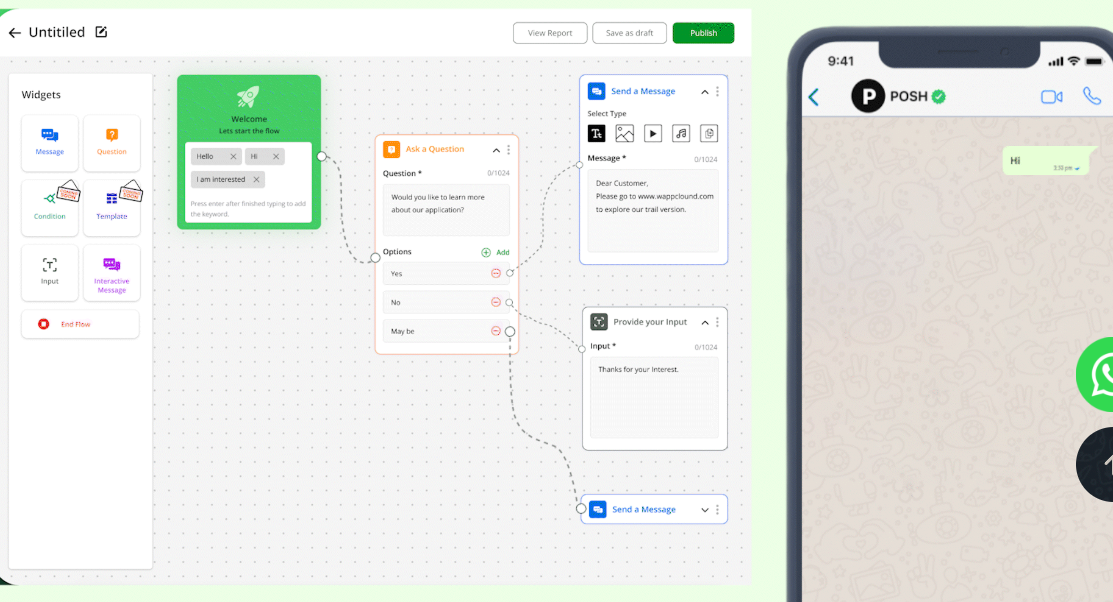
And just like that — you've built a fully functional WhatsApp chatbot without writing a single line of code.
Best Practices for a Successful Chatbot
Having a bot is a great start, but how you design the conversation is what keeps customers happy. A good bot should feel like a helpful employee, not a confusing computer program.
Keep the Conversation Simple and Human
Avoid long paragraphs or technical talk. People use WhatsApp for quick, easy chats — keep your messages short and friendly, the same way you'd talk to a customer face-to-face in a shop.
Personalize the Experience with Customer Names
A little personalization goes a long way. Use the tools in WappCloud to have the bot greet customers by their name — a simple touch that makes people feel seen, not just another number in a system.
Use Clear "Call to Action" Buttons to Guide the User
Don't make your customers guess what to type. Use buttons to give them clear choices, like "See Catalog" or "Talk to an Expert," so the bot always understands exactly what they want.
Keep Response Times Instant but Natural
The beauty of a bot is its speed, but you don't want to overwhelm the reader with ten messages in one second. Set small pauses between messages so the conversation feels natural rather than a machine-gun burst of text.
Know When to Bring in a Real Team Member
A bot is there to help, but it can't solve everything. Always give customers an easy way to exit the bot and talk to a real person — WappCloud makes it easy to hand the chat over to your support team when a query gets too complex.
You don't need to be a tech expert to give your customers the instant service they expect. In just a few minutes, a WhatsApp chatbot can take over your repetitive tasks, capture new leads, and keep your business running 24/7. Stop letting potential sales slip through the cracks while you're busy or offline.
With WappCloud, you get a powerful, no-code solution that works as hard as you do. It's time to stop talking about automation and start using it to grow.
Ready to see it in action? Book a demo with our team today and let's build your first bot together.